TDAC Buddy
Simplify and manage your TDAC applications

What is TDAC Buddy
All foreign visitors to Thailand must submit an application for a Thailand Digital Arrival Card (TDAC) before entering the country. An online form is available, but many fields must be completed for every application.

TDAC Buddy makes multiple visits to Thailand a breeze, remembering your details on your private iCloud account so subsequent TDAC applications are a few clicks away.
The Thai Immigration authorities has more information on their requirements in the TDAC FAQ.
TDAC Buddy is built and designed by a frequent traveller for frequent travellers. It is not an “official” app, and is not endorsed in any way by the Thai immigration authorities. It just provides a convenient way to use their website and store your details for future trips.
The app runs on iOS (18 or later) and iPadOS (it’s best in iOS26 windowed mode). A macOS version is in the works. Sorry there is no Android, Windows or Linux version at this time. The Thai Immigration department has now released their Thim app, which includes similar functionality to TDAC Buddy. You can still use TDAC Buddy or the web, you are not (currently) obliged to use the Thim app.
Foreign Residents
TDAC Buddy stores your visa number and home address, meaning you don’t need to enter any departure information
Frequent Travelers
Keep your passport and favorite hotel details in TDAC Buddy, making each new TDAC application quick and easy.
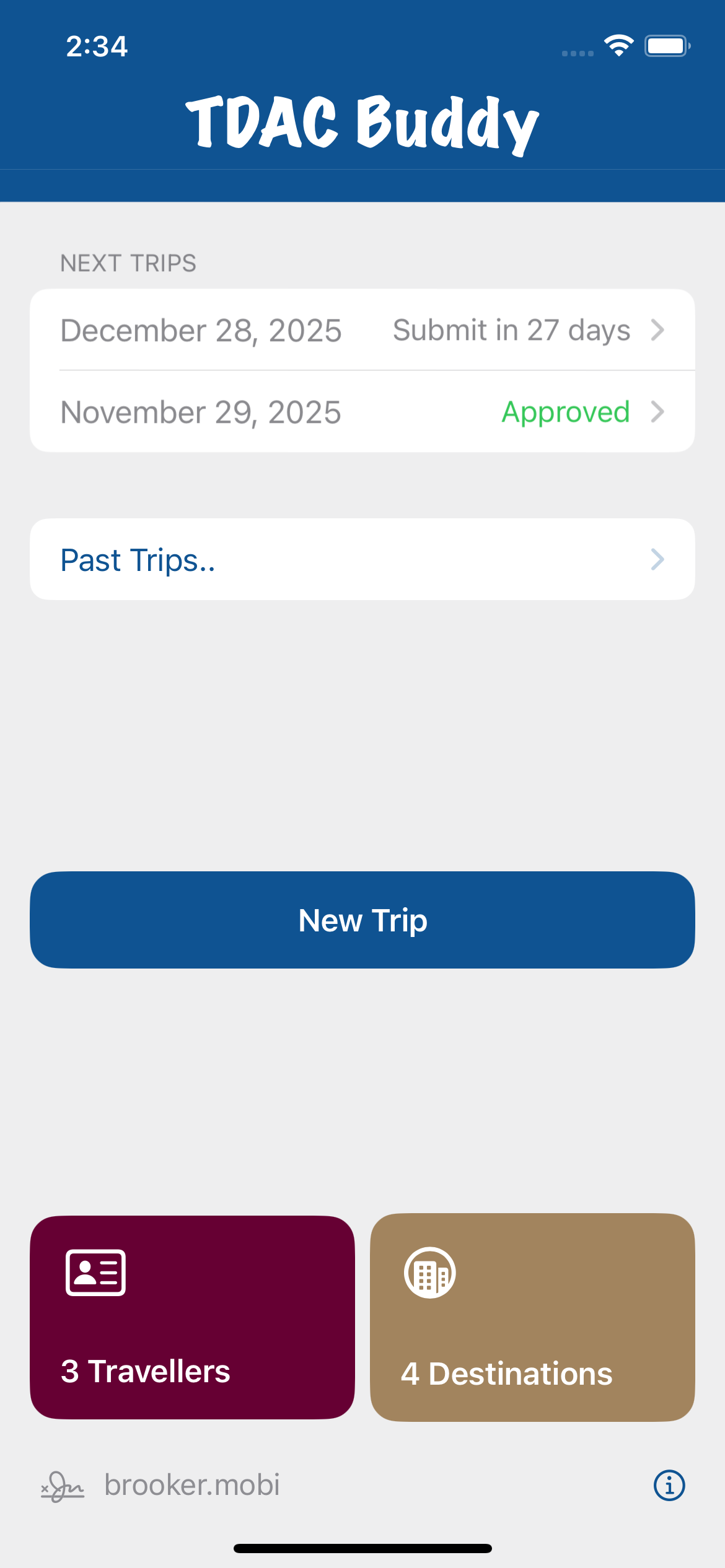
Fast Access to trips, travelers and destinations from the home page.
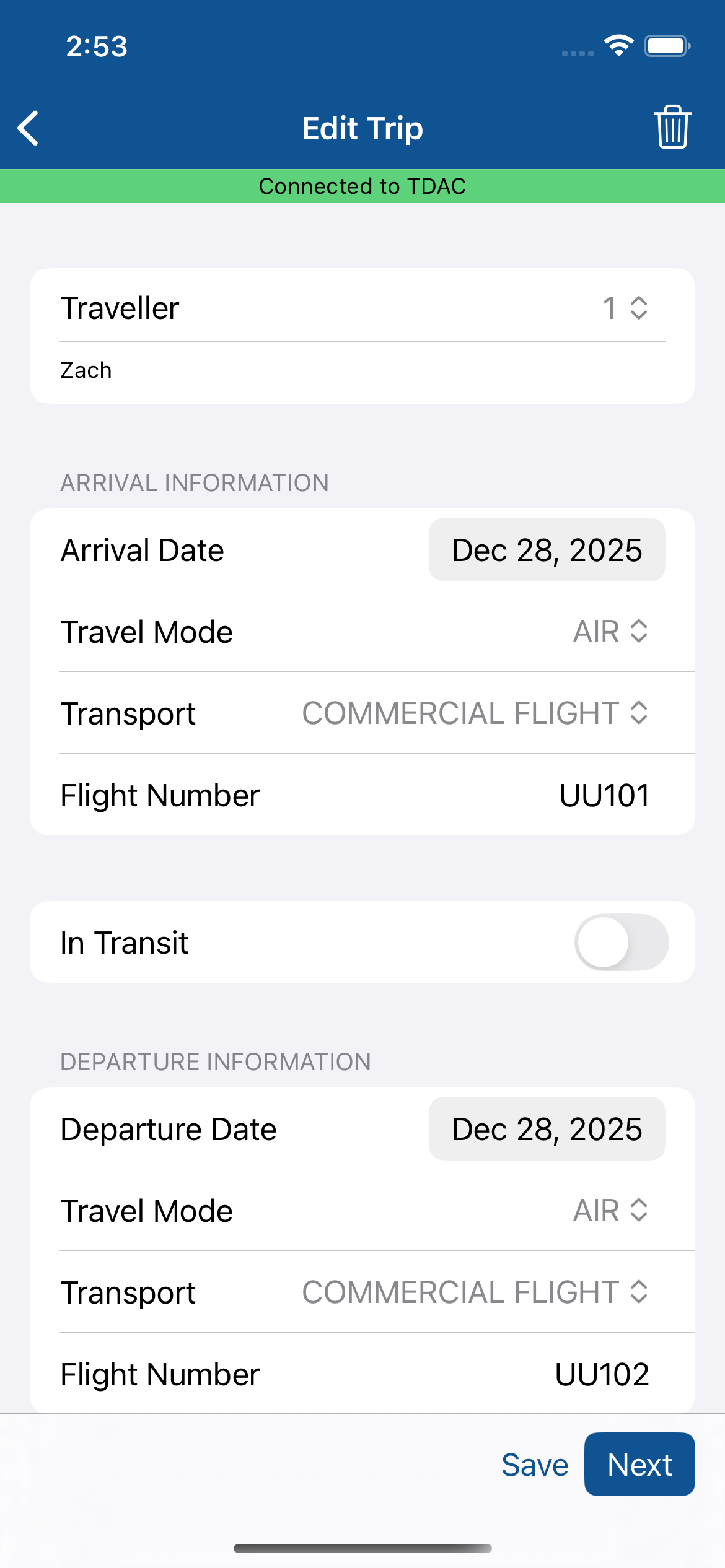
Select one or more travelers, arrival (and departure if non-resident) dates and flights to create a trip.
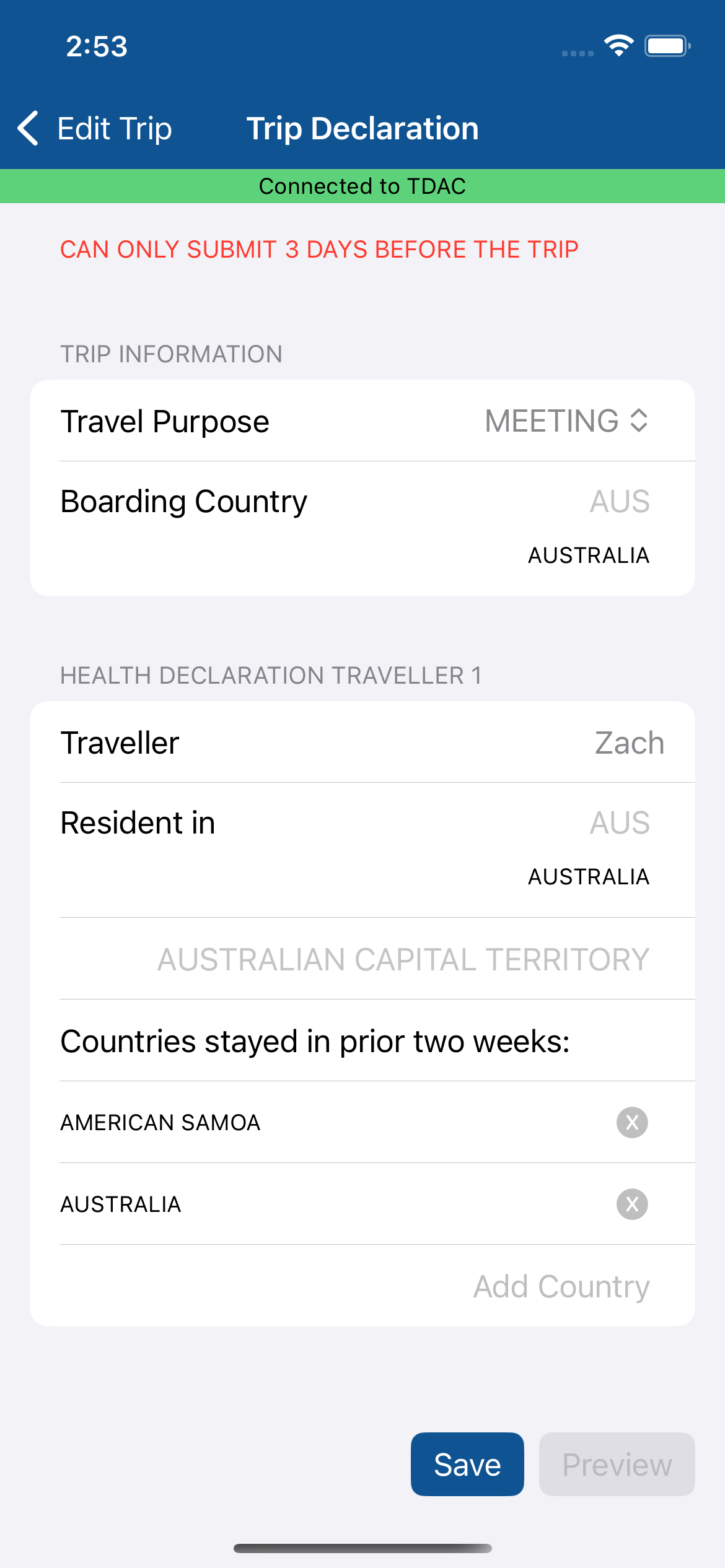
Indicate the reason for travel and complete your health declaration with a few clicks.
Manage your TDAC
Your TDAC is stored in your iCloud and synced between devices. View your TDAC using the app, by clicking on an approved trip, or in the TDAC Buddy folder in your iCloud using the Apple Files app.
Tips
When you add a traveller, click the icon in the toolbar to scan a passport, entering the details for you automatically.
You can add multiple travelers to a trip, as long as the flights and dates are the same.
You can now edit a trip after submission, but if multiple travelers are on the TDAC, it will be split into separate applications.
An approved TDAC is a PDF file. It can be accessed from the app, or from the Apple Files app in the TDAC Buddy folder of iCloud files.
Your TDAC will also be sent by the Thai immigration authorities to the email address you provided.
Security
Your information is stored only on your phone and in your private iCloud. Your trip information is sent to the Thai Immigration when you Preview and when you Submit a TDAC application.
No information is sent to third parties, including the developer. Our Privacy Policy for TDAC Buddy is here.
Subscription & Free Trial
TDAC Buddy is maintained by a small subscription, costing less than a cup of coffee each year. We hope you find it as useful as we do. To submit TDAC applications you need a valid subscription. You can cancel anytime in your Apple Account settings.
Your first TDAC is free, just start the free trial to see how easy it is to submit and manage your TDACs.
Limitations
You must use the Thai immigration website to perform the following:
Submit a yellow fever vaccination certificate